




The Professional B2B Sourcing & Technical Engineering Guide to the 1 8 Audio Cable
Author: Lynn Zhang (CEO at Jingyi Audio )
Published: June 21, 2026
Target Audience: B2B Sourcing Managers, Systems Integrators, Commercial AV Engineers, Enterprise IT Infrastructure Directors
1. Introduction: The Position of Wired Audio in the Enterprise
In modern corporate offices, busy meeting spaces, and broadcast studios, clear sound is a must for daily business. While wireless gear dominates consumer sales—with True Wireless Stereo (TWS) representing $65\%$ of the consumer volume—professional AV systems still rely heavily on physical cables. In high-density corporate setups and critical broadcast rooms, wired connections maintain a solid $55.7\%$ market share.
Wireless options have physical weak spots: high latency, radio frequency (RF) room congestion, and battery wear. These limits make them risky for main boardrooms or live events. The 1 8 audio cable (the standard 3.5mm TRS connection) remains the simple, lag-free physical link that connects laptops, phones, and tablets to corporate sound systems.
Yet, this small cable is often the weakest link in the setup and causes frequent support tickets. To cut down on system downtime and control costs, B2B sourcing agents and field technicians must look at the metallurgy, shielding physics, and financial details of this basic cable.
2. B2B Market Dynamics: Moving from FOB to TCO Sourcing Models
The global audio cable market is shifting. We are seeing a mix of old analog gear that needs maintenance and new digital network systems being put in place.
Key Market Metrics
-
Global Audio Cable Market Size: Valued at roughly
$441.7\text{ million}$today, with sales expected to hit$586.46\text{ million}$by 2035, growing at a compound annual rate (CAGR) of$3.2\%$. -
Regional Distribution: The Asia-Pacific (APAC) region holds the largest market share at
$34\%$due to its massive electronics manufacturing base. North America (NA) follows at$31\%$, driven by large corporate office builds and regular replacement cycles. -
Replacement Lifespan: In schools and corporate training centers, daily wear and tear means analog cables are replaced every
$18\text{ to } 24\text{ months}$.
The Total Cost of Ownership (TCO) Sourcing Model
Historically, buying teams used basic Free-on-Board (FOB) pricing, choosing vendors based on the lowest unit cost. Today, professional procurement relies on a Total Cost of Ownership (TCO) model. This approach accounts for hidden logistics and operational costs. These include Available-to-Promise (ATP) buffers, Dead-Inventory Reserves, Minimum Advertised Price (MAP) tracking, and Return Merchandise Authorization (RMA) overhead.
The table below shows a standard 2026 financial comparison. It shows how hidden operational variables raise the true cost of inventory far beyond the initial FOB price:
|
Sourcing Variable |
Standard FOB Sourcing |
Complete B2B TCO Model |
Financial Effect / Operational Meanings |
|---|---|---|---|
|
Base Unit Cost ( |
USD 11.00 |
USD 11.00 |
Core factory manufacturing and product cost. |
|
Freight & Logistics |
Excluded |
USD 2.20 |
Shipping, customs clearance, duties, and local trucking. |
|
Available-to-Promise (ATP) Buffer |
Excluded |
USD 0.55 |
Capital tied up to keep stock ready and avoid project delays. |
|
Dead-Inventory Reserve ( |
Excluded |
USD 1.65 |
Financial safety net for slow-moving or outdated cable styles. |
|
MAP Sourcing Overhead |
Excluded |
USD 0.20 |
Cost to track and protect minimum resale price limits. |
|
AWD Disposal Reserve |
Excluded |
USD 0.50 |
Cost to store and discard broken or obsolete cables. |
|
RMA Reserve ( |
Excluded |
USD 0.66 |
Labor and shipping costs to process bad cables and warranty claims. |
|
True Unit Cost (Total TCO) |
USD 11.00 |
USD 16.76 |
This is a |
3. Physical Metallurgy of Audio Cable Conductors (OFC vs. CCA)
The core electrical and physical life of a 1 8 audio cable depends on its metal conductor. Sourcing teams must understand the physical differences to prevent signal loss and fire risks.
Metallurgy Comparison Matrix
|
Technical Metric |
Oxygen-Free Copper (OFC) |
Copper-Clad Aluminum (CCA) |
Silver-Tinned Copper |
|---|---|---|---|
|
Material Build |
|
Aluminum Core ( |
Pure Copper base with an outer layer of pure silver or tin |
|
Electrical Conductivity (IACS%) |
|
|
|
|
Resistivity ( |
|
|
|
|
Tensile Strength ( |
|
|
Highly durable, built for heavy physical loads |
|
Oxidation & Rust Risk |
Very Low |
High (Happens fast at the solder joints) |
Exceptionally Low (Stays clean in wet, salty, or hot air) |
|
Galvanic Corrosion Risk |
Low / Negligible |
Extremely High (Reacts badly when touching other metals) |
Negligible (Acts as a protective barrier) |
|
Relative Cost Level |
Moderate to High ( |
Low ( |
Premium / High Initial Cost |
|
Best B2B Application |
Inside-wall runs, permanent studios, corporate boardrooms |
Quick setups, short-run events, tight-budget jobs |
Ocean-going boats, humid outdoor spaces, vibrating machinery |
Technical Risks of Poor Metals
1. Ohm's Law and Signal Loss
Under Ohm's Law:
For a set signal current
2. Brittle Wires and Physical Damage
Aluminum breaks easily under stress. When a CCA 1 8 audio cable is pulled or bent—like when a user pulls a cable out of a conference table box—the aluminum core develops tiny cracks. This leads to crackling audio, channel dropouts, or a dead connection.
3. Corrosion and Heat Risks
When the aluminum in CCA touches other metals (like the brass or gold on a 3.5mm plug) in damp air, it triggers galvanic corrosion. This reaction creates a layer of rust that blocks electricity, raising the cable's resistance. Under load, CCA cables can run $30^\circ\text{F} \text{ to } 50^\circ\text{F}$ hotter than pure copper wires, presenting a fire hazard inside walls.
4. Real-World Power Loss
Tests on standard cables show:
-
A
$20\text{-foot}$run of pure OFC loses only about$5\%$of its signal power. -
The same run made of cheap CCA loses
$12\%$of its power because of the poor conductor.
The takeaway: For reliable business setups,
4. Shielding Layouts: Foil vs. Braided Copper
To keep audio clean and block electromagnetic interference (EMI) and radio-frequency interference (RFI), choose your cable shielding carefully.
1. Foil Shielding (Aluminum Mylar + Drain Wire)
Foil shielding uses a thin sheet of aluminum glued to a plastic backing, grounded by a bare drain wire.
-
Acoustic & Electrical Strengths: Gives
$100\%$physical coverage, leaving no gaps. It is great at blocking high-frequency RFI above$10\text{ MHz}$, such as Wi-Fi, Bluetooth, and cellular signals. It is also light, thin, and cheap. -
Mechanical & Physical Weaknesses: Aluminum foil is fragile and breaks easily if bent repeatedly. Foil-shielded cables must only be used in fixed, permanent runs (like inside metal pipes or drywall). This design is also prone to Shield-Current-Induced Noise (SCIN) because interference current runs along a single thin drain wire, which couples noise into the main audio wires.
2. Braided Shielding (Woven Copper Grid)
Braided shielding uses a woven mesh of copper wires wrapped around the inner insulated conductors.
-
Acoustic & Electrical Strengths: Excellent at blocking low-frequency EMI (from
$100\text{ kHz}$down to$4\text{ MHz}$), which includes mains hum ($50/60\text{ Hz}$) and AC transformer noise. The thick copper grid gives a clear path to ground, reducing SCIN by up to$30\text{ dB}$compared to foil. -
Mechanical & Physical Weaknesses: The woven pattern has tiny gaps, limiting coverage to
$70\%\text{ to } 95\%$. This allows some high-frequency RFI to leak in. Braided cables are also thicker, heavier, and harder to solder. -
Best B2B Application: Because they are physically tough, braided cables are perfect for high-wear areas, like conference room table pull-outs and stage patch bays.
Pro Tip (Dual Shielding): For noisy spaces, use a double shield (Foil + Braid). This combines the
$100\%$high-frequency block of foil with the tough low-frequency protection of copper braid.
5. Case Studies from the Field
Case 1: LinkedIn's "Last Meter Rule"
AV designers and managers on LinkedIn have agreed on a simple design standard called the "Last Meter Rule":
-
The Rule: Keep all analog
$1/8"$(3.5mm) and RCA cables shorter than$3\text{ meters}$($10\text{ feet}$). -
The Logic: To stop noise, run all long-distance audio over digital network protocols (like Dante or AES67). Keep analog cables short, using them only to connect a laptop or phone to the nearest network box on the wall or under the table. This cuts down on interference and saves hours of troubleshooting.
Case 2: The "Dummy Plug" Fix
On the r/CommercialAV forum, an installer shared a fix for a batch of corporate displays with a bad firmware bug. The screens kept playing sound through their small, built-in speakers even after they were turned off in the software settings.
-
The Solution: The engineer cut the plugs off a few cheap 3.5mm cables and sealed the cut ends with heat-shrink tubing to make "dummy plugs." Plugging these into the screens' audio outputs tricked the physical jacks into thinking a real system was connected. This safely muted the internal speakers and saved the project deadline.
Case 3: Quieting Mass Laptop Setups
An IT team had to set up more than $100$ company laptops in a room right next to executive offices.
-
The Problem: During the operating system setup process, every laptop played a loud, unmutable startup chime, disturbing nearby managers.
-
The Solution: The technician plugged 3.5mm dummy plugs into every laptop jack before starting. This blocked the startup sound physically and kept the workspace quiet.
Case 4: Testing Pinouts with a Multimeter
Installers often find phase issues or thin sound caused by cheap, pre-molded 3.5mm cables because internal wire colors vary across factories.
-
The Practice: Experienced technicians use a digital multimeter in continuity (buzzer) mode to trace the exact path of the Tip, Ring, and Sleeve. This confirms the wiring is correct before plugging anything in.
6. Action Plan for B2B Sourcing and AV Installers
-
Write Tight RFQs: Make sure your cable bids require
$24\text{ AWG}$Oxygen-Free Copper (OFC) with a purity of at least$99.99\%$for all permanent lines. Throw out any bids offering CCA wire. -
Match Shield to Use: Use Braided Copper Shielding (
$\ge 85\%$ coverage) for mobile cables that get pulled or stepped on. Use Foil Shielding with a drain wire for fixed runs inside walls and racks. -
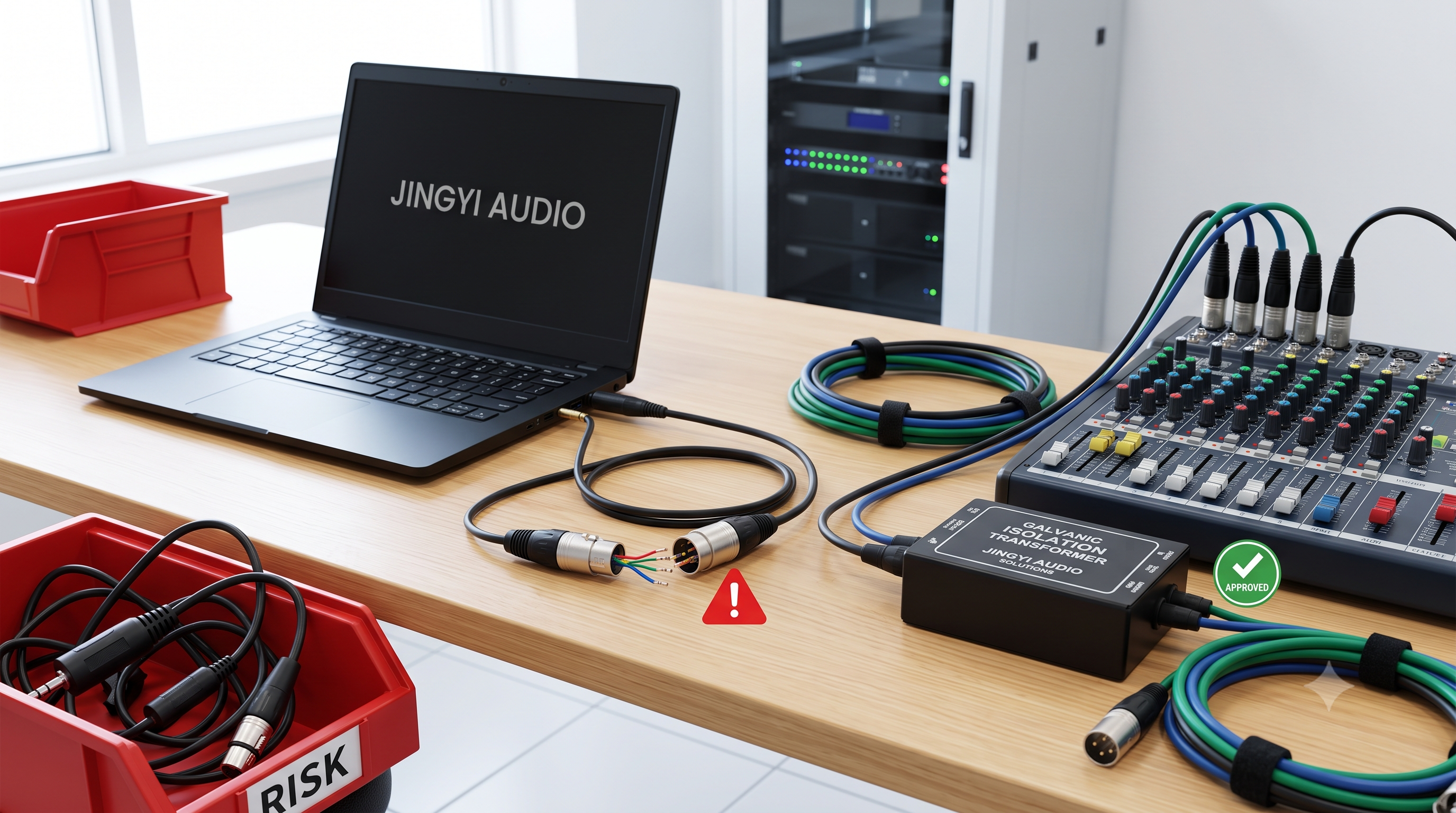
Use Isolation Transformers: Require a passive Direct Box (DI Box) for any 3.5mm analog line going into a mixer's XLR input. This blocks phantom power and stops phase issues.
-
Switch to TCO Buying: Look at the total cost of ownership (shipping, warehouse space, and return fees) instead of just the lowest unit price when comparing cable vendors.
-
Verify and Document RS-232 Lines: Ensure field teams test custom RS-232 serial lines over 3.5mm jacks with a multimeter and write down the pin maps on the system drawings.
-
Plan for Digital Audio: Use PoE-powered Dante network adapters for any audio run longer than
$3\text{ meters}$. This keeps the signal completely digital and free of noise.
7. Technical FAQ
Q1: What happens if $+48\text{V}$ Phantom Power is turned on by mistake on a mixer channel connected to a laptop via a 3.5mm-to-XLR cable?
Direct Short Answer
It will burn out the laptop's motherboard. The
Technical Breakdown
A direct 3.5mm-to-XLR cable has no built-in protection.
[ Laptop 3.5mm Out ] <=== Direct DC +48V Backflow (Damaging) === [ Mixer Input (Phantom Power ON) ]
When phantom power is turned on:
-
The DC voltage travels straight to the delicate output capacitors of the laptop's audio chip.
-
Because these consumer chips are built for less than
$2\text{V}$and have no high-voltage protection, the$+48\text{V}$ charge causes immediate overheating and component failure. -
This results in a loud pop, followed by a dead headphone jack, a burning smell, or a short-circuited computer.
How to Prevent This
Always run the 3.5mm line through a passive Direct Box (DI) containing an isolation transformer (like the Radial AV1, Radial ProD2, or Whirlwind ISOpod). The transformer uses a magnetic gap to pass the audio signal while blocking all DC voltages. If you must solder a quick cable yourself, put a $100\text{nF}$, $63\text{V}$ capacitor in series on Pins 2 and 3 of the XLR plug to act as a DC block.
Q2: Why does a stereo 1/8" TRS-to-balanced XLR cable sound hollow and lose the vocals?
Direct Short Answer
The balanced input phase-cancels the sound. The XLR input subtracts the right channel from the left channel, which mathematically deletes the lead vocals and any other center-panned instruments.
Technical Breakdown
This problem is caused by an electrical mismatch between the two plugs:
-
The 3.5mm Stereo Plug: Sends the left channel on the Tip, the right channel on the Ring, and ground on the Sleeve.
-
The Balanced XLR Input: Expects a single mono signal split onto Pin 2 (Positive Phase) and Pin 3 (Negative Phase).
[ 3.5mm Stereo Out ]                          [ Balanced XLR Input ]
  Tip  (Left Channel)  =======================> Pin 2 (Positive Phase +)
  Ring (Right Channel) =======================> Pin 3 (Negative Phase -)
  Sleeve (Ground)      =======================> Pin 1 (Ground)
To cancel out line noise, the XLR input amplifier subtracts the signal on Pin 3 from Pin 2:
With the direct adapter cable plugged in, the math becomes:
This means the system subtracts the right audio channel from the left channel. In professional recordings, lead vocals and bass are mixed perfectly identical in both channels (
How to Prevent This
You must use a stereo-to-mono summing box or summing transformer (like the DSAN LTSP-1 or Switchcraft 318). These devices mix the left and right channels into a clean mono signal before sending it to Pin 2 of the XLR input.
Q3: Why do 3.5mm connections in office rooms suffer from low hums, power supply squeals, and cell phone buzzing?
Direct Short Answer
These noises are caused by three issues: ground loops (low hums), poorly filtered power chargers (high-pitched squeals), and leaky cable shields (cellular buzz).
Technical Breakdown
Ground Loop:          AC voltage differences between power outlets (50/60 Hz Hum)
Power Charger Noise:  High-frequency digital noise leaking from laptop charger into ground lines
Cellular Buzz:        GSM handset radio signals coupling onto poorly shielded cable copper
1. The Low Hum ($60\text{ Hz}$ / $50\text{ Hz}$ )
-
The Cause: If a laptop is plugged into a wall outlet on one side of the room, and the amplifier is plugged into an outlet on the other side, they may have different ground voltages. This voltage difference forces a small AC current to run along the shield of your 3.5mm audio cable. This current mixes with the audio, creating a low-frequency hum.
-
The Solution: Use a ground loop isolator or flip the Ground Lift switch on your DI box to break the physical ground loop.
2. The Power Charger Squeal
-
The Cause: Modern laptop chargers switch power at high frequencies. If the charger is cheap or old, this high-frequency noise leaks into the laptop's motherboard ground. Because the built-in headphone jack shares this ground, you hear a high-pitched squeal that changes when you move the mouse.
-
The Solution: Bypass the internal jack and use an external USB-C to 3.5mm audio adapter (DAC).
3. The Cell Phone Buzz ($217\text{ Hz}$ )
-
The Cause: When a mobile phone is placed near a poorly shielded cable, its radio signals couple onto the copper wires inside. The audio amplifier detects this energy and outputs a rhythmic "tick-tick-buzz" noise at
$217\text{ Hz}$. -
The Solution: Use a cable with a dense copper braided shield (
$\ge 95\%$ ) and clip a ferrite bead onto the cable near the mixer.
Q4: How do the RS-232 serial control pinouts on 3.5mm connectors differ between Crestron and Extron systems?
Direct Short Answer
There is no industry standard. Extron uses a 3-pin configuration, Crestron uses a 5-pin configuration, and television brands vary on whether they send or receive data on the Tip or Ring of the plug.
Technical Breakdown
Because space is tight on compact controller boxes, brands use 3.5mm screw terminals or headphone jacks instead of large DB9 serial ports. However, their wiring designs are different:
1. Extron 3-Pin Terminal Block:
-
[ Tx ]
$\rightarrow$ Transmit Data -
[ Rx ]
$\rightarrow$ Receive Data -
[ G ]
$\rightarrow$ Ground
2. Crestron 5-Pin Terminal Block:
-
Pin 1: Transmit Data (Tx)
-
Pin 2: Receive Data (Rx)
-
Pin 3: Request to Send (RTS)
-
Pin 4: Clear to Send (CTS)
-
Pin 5: Ground (G)
3. Circular 3.5mm Headphone Style Plugs:
When using a 3.5mm jack for serial data, screen manufacturers use different wiring layouts:
Sony Style Layout:     Tip = Transmit (Tx), Ring = Receive (Rx), Sleeve = Ground (GND)
Pioneer Style Layout:  Tip = Receive (Rx), Ring = Transmit (Tx), Sleeve = Ground (GND)
How to Prevent This
-
Test with a Multimeter: Technicians should always use a multimeter in continuity mode to trace which wire goes to the Tip, Ring, and Sleeve before connecting any equipment.
-
Prep Cables in the Shop: Cut a high-quality 3.5mm patch cable in half, strip the wires, and write down the color code on a label.
-
Use Screw Terminal Adapters: Use 3.5mm breakout terminal blocks (such as Winford blocks) to easily swap the Tx and Rx wires with a small screwdriver without cutting or soldering.
Q5: Why is the commercial AV industry moving away from analog 3.5mm connections to USB-C and Dante Networked Audio?
Direct Short Answer
Analog lines are fragile and collect noise over long distances. USB-C and Dante Networked Audio send pure digital signals that are immune to interference, run over long distances, and can be managed through software.
Technical Breakdown
The analog 3.5mm plug is losing its place due to physical limits:
-
Wear and Tear: The metal spring clips inside female 3.5mm jacks stretch out over time, causing loose connections, popping noises, and lost audio channels.
-
Noise on Long Runs:
$$3.5\text{mm TRS Stereo} \rightarrow \text{Unbalanced Signal Path}$$ Because unbalanced lines cannot cancel out environmental noise, any run longer than
$3\text{ meters}$($10\text{ feet}$) picks up background hums and wireless interference.
The Digital Shift
USB-C Connections
Most new laptops do not have a headphone jack. USB-C replaces it by carrying power, video, and digital audio over one thin cable. By keeping the audio digital until it reaches an external dock on the table, we avoid all the noisy electronics inside the laptop, delivering clean sound.
Dante Audio-over-IP (AoIP)
For modern corporate systems, installers use PoE-powered network adapters (like Audinate's AVIO or the Turtle AV TAV-D2LEN). These boxes plug into local analog outputs and immediately turn the audio into $24\text{-bit}$ / $48\text{ kHz}$ uncompressed digital data.
[ Laptop USB-C/Dante ] === Cat6 Network Cable (Up to 100m / Zero Noise) ===> [ Network Switch ] ===> [ Amplifiers ]
This networked approach provides major advantages:
-
Longer Distances: Extends the limit from a weak
$3\text{ meters}$to$100\text{ meters}$over standard Cat6 network cable, and even longer over fiber optics. -
No Ground Noise: Since there is no direct copper ground connection, ground loops and phantom power damage are impossible.
-
Software Controls: Instead of physical patch bays, you route audio from any room to any speaker using Dante Controller software on a computer.
8. Designing for the Future
Wired connections are still a major part of commercial AV systems. Understanding the physical details of the analog chain is the best way to prevent onsite failures. The 1 8 audio cable is still the key link for local laptop connections, and its metal quality and shielding determine how well the entire system performs.
By writing clear purchasing guidelines (OFC copper over cheap CCA), selecting the right shield layout for each space, and using isolation transformers, sourcing teams and engineers can eliminate noise issues and build reliable corporate sound systems.
References: Sourcing and technical details are based on Research Reports World Audio Cable Market Forecast to 2035 and the Jingyi Audio Commercial AV Sourcing Guide.